
Gemini Spark now integrates with Chrome
If you use Gemini Spark to handle admin tasks, it can now act inside your actual Chrome browser using your saved logins — useful for things like booking appointments or comparing flight options — while still pausing to ask before it pays for anything on your behalf.
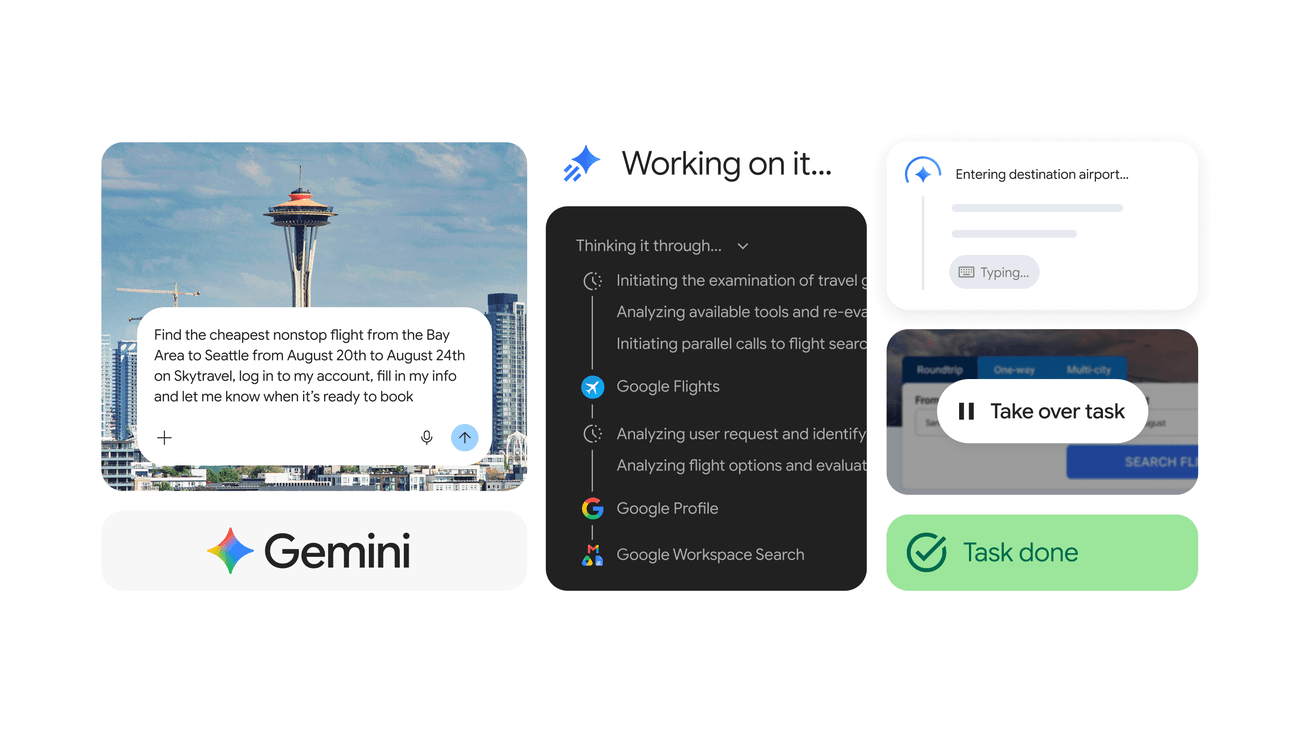
What changed
Source summary
Google's Gemini Spark personal agent can now use a person's own Chrome browser — including logged-in accounts and saved passwords — to complete web errands like scheduling appointments or researching flights, pausing for user confirmation on sensitive actions like payments. Google AI Pro access for Spark also expanded to 160+ additional countries.
Why it matters to your work
Practical interpretation
If you use Gemini Spark to handle admin tasks, it can now act inside your actual Chrome browser using your saved logins — useful for things like booking appointments or comparing flight options — while still pausing to ask before it pays for anything on your behalf.
When this could help
Useful for a multi-step web task you would otherwise do by hand across several sites or logins — e.g. comparing and starting a flight booking, or scheduling viewings across several listings.
Gemini Spark now integrates with Chrome through a feature called Chrome auto browse, letting Spark handle tedious multi-step web tasks such as scheduling apartment viewings or researching flights and starting a booking, using your signed-in accounts and stored passwords with your permission. Sensitive actions like payments are handed back to you to complete yourself, and the feature includes protection against prompt injection.
How to get started
Grant Spark permission to act in Chrome — it only acts on your logged-in accounts and stored passwords with your explicit permission.
Provider guidance ↗Describe the multi-step web errand you want handled (e.g. find the cheapest nonstop flight from the Bay Area to Seattle on these dates, log in to my account, fill in my info and let me know when it is ready to book).
Provider guidance ↗Review progress as Spark works — you can take over the task at any point — and complete any sensitive step yourself, such as entering payment details, when Spark hands it back to you.
Provider guidance ↗
Try this · The SCALA method
Give AI a clearer brief
- Situation
- You have a multi-step web task (booking, research-then-action, form filling across a site you are logged into) that you would otherwise do by hand.
- Consultant
- Act as a web-task assistant using Chrome auto browse.
- Action
- Complete the multi-step task I describe using my logged-in accounts where needed, show me progress as you go, and hand control back to me for any payment or other sensitive step rather than completing it yourself.
- Language
- Short progress updates, then a clear final confirmation of what is ready for me to finish.
- Ask
- Ask me for the exact task, the site(s) involved, and confirm I want it to use my logged-in account before starting.
SCALA suggested prompt · Adapt the context and check the result.
Learn the SCALA method →What to check
- Chrome auto browse launched US-only, with no date given for wider regional expansion — do not assume availability for an Australian reader without checking current status. Source ↗
- Sensitive actions such as payments are deliberately returned to the user rather than completed automatically, per the source stated safeguard. Source ↗
Sources & provider guides
Official documentation checked 12 Oct 2026. SCALA prompts and workflows are suggestions, not claims of hands-on testing.
Source & availability
This is a summary of a published provider announcement, with practical context from SCALA’s feed.
Plan, region, workspace and rollout conditions may affect access in Australia. Check the original source for current availability.
blog.google