
Claude Security now scans continuously and tracks fixes
This is a security/compliance feature for Claude Enterprise admins and security teams: it keeps vulnerability findings current automatically instead of relying on someone to re-run scans, and tracks whether fixes actually landed.
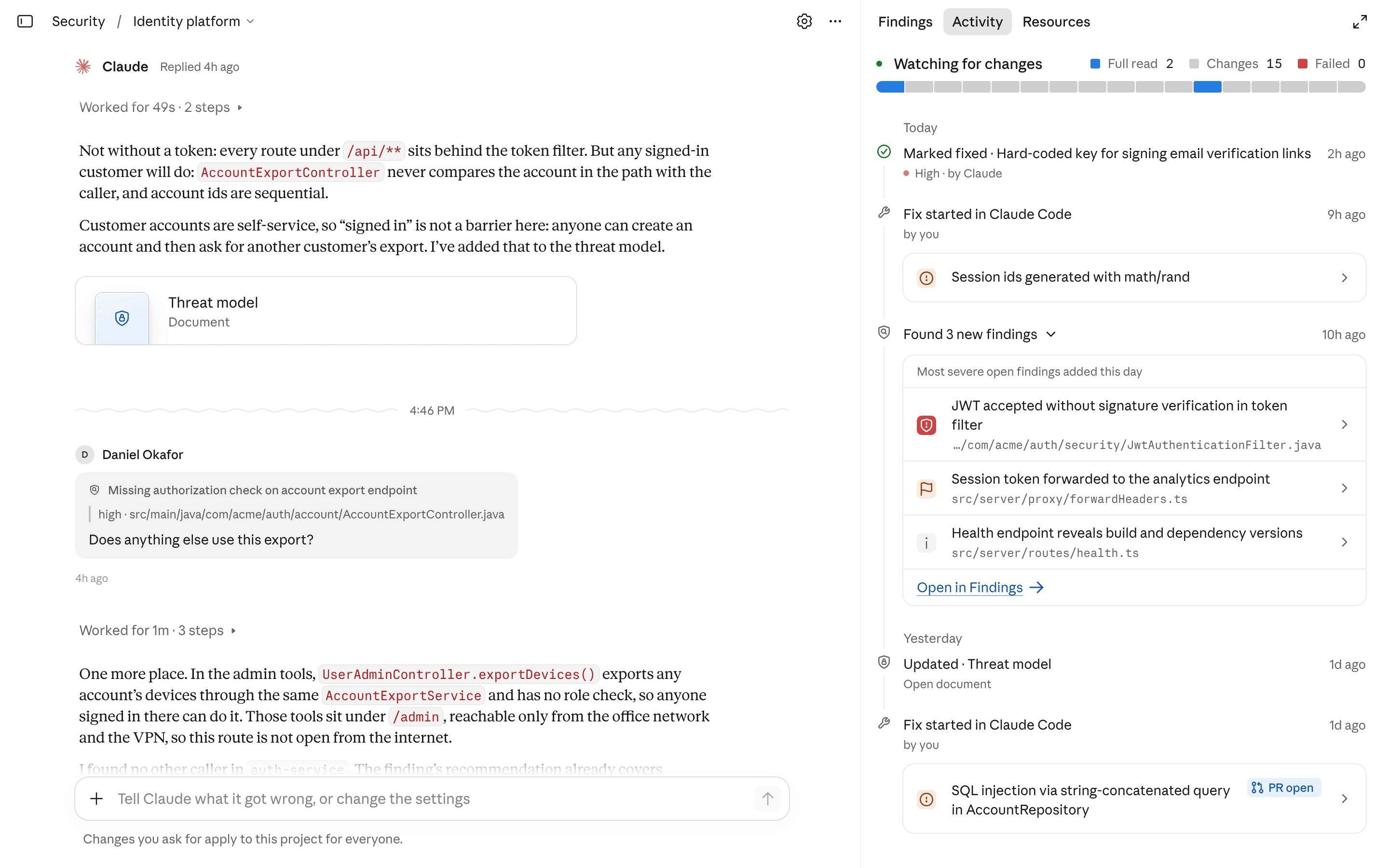
What changed
Source summary
Claude Security now scans an organisation's repositories continuously instead of only when someone starts a scan: after an initial deep baseline scan it rescans changed code at intervals based on each change's risk and complexity, and it tracks findings through to remediation, automatically marking a finding fixed once the relevant code changes and the fix ships, and reopening it if the issue reappears. It is in public beta for Claude Enterprise organisations, enabled and access-controlled by admins in the admin console, with $25,000 in free usage credits per month for two months, for usage through 31 December 2026.
Why it matters to your work
Practical interpretation
This is a security/compliance feature for Claude Enterprise admins and security teams: it keeps vulnerability findings current automatically instead of relying on someone to re-run scans, and tracks whether fixes actually landed.
When this could help
Relevant once your org is on Claude Enterprise and wants continuous repository scanning instead of point-in-time scans.
Claude Security now runs an initial deep baseline scan and then rescans changed code at intervals based on each change's risk and complexity, and tracks findings through to remediation — automatically marking a finding fixed once the relevant code changes and the fix ships, and reopening it if the issue reappears.
How to get started
Have an admin enable Claude Security in the admin console and set who on the team can access it; new role-based access controls let admins decide who can view projects, triage findings, and create projects, so creating a project may require a specific role.
Provider guidance ↗Create a project in Claude Security.
Provider guidance ↗Connect your repositories through the Claude GitHub app (including GitHub Enterprise Server) or with an access token from GitLab and other Git providers.
Provider guidance ↗Choose the branch and scope for each connected repository.
Provider guidance ↗
Build it into your routine
SCALA suggested workflow
Fill in the knowledge base
Describe how the code is deployed, which security policies apply, and anything a new security engineer would need to know — each project has a knowledge base for this.
Review the generated threat model
Check and edit the threat model Claude Security generates from the code, since later scans use it to decide what to flag and what to skip.
Group related services into one project
Put related repositories in the same project — a project can hold multiple repositories, which helps catch issues that live between services.
Triage by severity and reachability
Work through findings by severity rating and exploit path (how reachable the issue is to an attacker) rather than by raw count.
Connect it to where the team already works
Optionally use the new API, a personal access token (which can only see and change what that user can), webhooks for new findings, or the MCP connector in Claude.ai and Claude Code, so an engineer can pull up a finding, ask Claude about it, start the fix, and mark it resolved in one session.
What to check
- Available to Claude Enterprise customers, currently in public beta, and requires admin enablement in the admin console. Source ↗
- Free usage credits are $25,000 each month, for two months, for usage through 31 December 2026; the announcement doesn't state what happens to usage charges after that window and points to the Help Center for full terms. Source ↗
Sources & provider guides
Official documentation checked 26 Oct 2026. SCALA prompts and workflows are suggestions, not claims of hands-on testing.
Source & availability
This is a summary of a published provider announcement, with practical context from SCALA’s feed.
Plan, region, workspace and rollout conditions may affect access in Australia. Check the original source for current availability.
claude.comThis update is primarily for technical teams.